
How to Register: Step-by-Step Guide for Users in Pakistan
Available Registration Options
Mostbet understands that “one size does not fit all” when it comes to digital security and convenience. To accommodate the diverse needs of Pakistani players, the platform offers four primary entry points, alongside an advanced configuration for those who wish to set up a comprehensive profile from the very beginning.
Quick One-Click Sign-Up
This is the pinnacle of efficiency for users who want to explore the sportsbook or casino immediately without initial data entry.
- Process: The system automatically detects your location (Pakistan) and your preferred currency (PKR).
- Result: With a single tap, the platform generates a unique username and a secure password.
- Recommendation: Always save these credentials or take a screenshot immediately, as you will need them for future logins.
Registration via Mobile Number
For the majority of Pakistani users, linking an account to a mobile SIM is the most reliable method for long-term security.
- Process: Select the Pakistan country code (+92) and enter your active mobile number.
- Validation: You will receive a 4-digit SMS confirmation code (OTP). Enter this code into the registration field to link your device.
- Benefit: This method simplifies the password recovery process and ensures you receive instant updates regarding your balance and withdrawals.
Sign-Up Using Email Address
The email method is preferred by users who prioritize a traditional, well-documented account setup.
- Process: Enter a valid email address, select PKR as your currency, and create a strong, unique password.
- Confirmation: A verification link will be sent to your inbox. Clicking this link activates your account and secures your digital identity.
- Benefit: This is the most stable method for receiving detailed promotional offers and technical support transcripts.
Registration Through Social Media
For those who prefer a “one-tap” lifestyle, Mostbet allows you to synchronize your betting profile with existing secure social networks.
- Supported Platforms: Google, Telegram, and Twitter (X).
- Process: Click the icon of your preferred network and authorize the data sync. Mostbet will pull the necessary basic info to create your account instantly.
- Benefit: No need to remember new passwords; your account is as secure as your social media login.
Advanced Registration Method
While not a separate button, the “Advanced” approach involves filling out the full personal profile immediately after any of the above steps. This includes entering your full legal name, date of birth, and permanent address. Doing this early prevents any “pending” status on your first withdrawal request.
Necessary Requirements
Before initiating the sign-up process, ensure you meet the fundamental criteria required by Mostbet’s international regulatory standards. These rules are in place to maintain a fair and legal gaming environment in Pakistan.
| Requirement | Description |
| Legal Age | You must be at least 18 years old to create an account. |
| Single Account Policy | Mostbet strictly prohibits “multi-accounting.” One user = one account. |
| Accurate Data | The name provided must match the name on your CNIC or Bank Account. |
| Valid Currency | Ensure you select PKR during signup to avoid conversion fees later. |
| Contact Access | You must have active access to the phone number or email used. |
Account Verification Process
Verification is the bridge between a “basic” account and a “full-access” account. While you can deposit and play with a basic account, the verification process (KYC – Know Your Customer) is mandatory for withdrawing your winnings. This ensures that the funds are being sent to the rightful owner and prevents fraudulent activity.
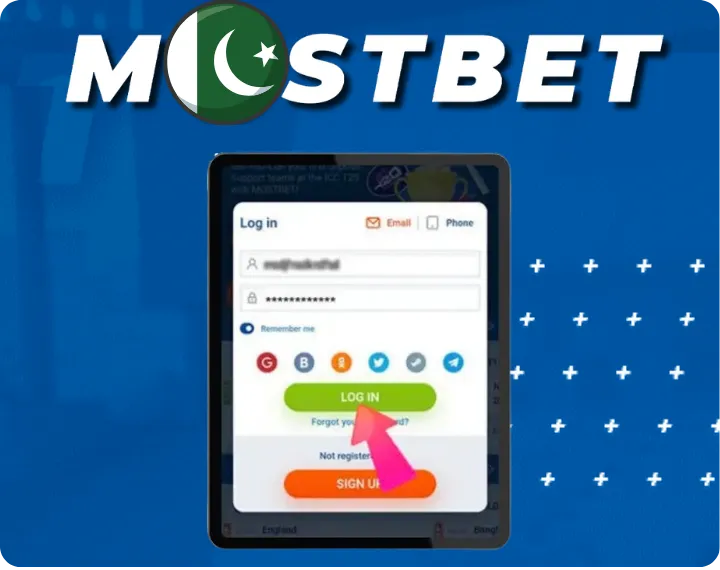
- Login: Access your account via the app or website.
- Profile Completion: Go to the “Personal Information” tab. Fill in every field accurately. Any discrepancy between this data and your ID will cause delays.
- Email/Phone Binding: Ensure both your email and mobile number are “Confirmed” (indicated by a green checkmark).
Identity Confirmation Procedure
Once your profile data is filled, the security team requires visual proof of your identity. This is a standard procedure for all licensed international bookmakers in 2026.
- Document Submission: You will be asked to upload a clear, high-resolution photo of your CNIC (Computerized National Identity Card), Passport, or Valid Driving License.
- Photo Quality: Ensure all four corners of the document are visible, the text is legible, and there is no camera flash glare over the name or photo.
- Selfie Verification: In some cases, you may be asked to hold your ID next to your face for a “Verification Selfie” to ensure the document is in your possession.
- Timeline: The Mostbet security department usually completes the review within 24 to 72 hours. Once approved, your account status will change to “Verified,” and you can withdraw funds without restrictions.
Frequently Asked Questions
- Which countries are eligible to register on Mostbet?Mostbet is a global operator functioning in over 90 countries. In addition to Pakistan, it is highly active in India, Bangladesh, Kazakhstan, Uzbekistan, and several European and South American nations. If you are a Pakistani citizen traveling abroad, you can usually access your account as long as you are not in a restricted jurisdiction (like the USA or UK).
- How long does the verification process take?Under normal circumstances, the internal security team reviews identity documents within 24 hours. However, during high-traffic periods—such as the Pakistan Super League (PSL) or ICC World Cup—the process can take up to 72 hours. To avoid waiting, it is highly recommended to submit your documents immediately after registration rather than waiting until you want to withdraw a win.
- What should I do if I forget my password?Mostbet provides a seamless recovery tool. Click the "Forgot Password?" link on the login screen. You will be prompted to enter either your registered phone number or email address. A reset code or link will be sent to you instantly. If you registered via "One-Click" and lost your auto-generated credentials, you must contact the 24/7 Live Support chat with your transaction history or ID details to regain access.